
Final batch of answers.
Day 17 – Moving average
Fixed length moving average problem was about DAX measure. You could write measure like:
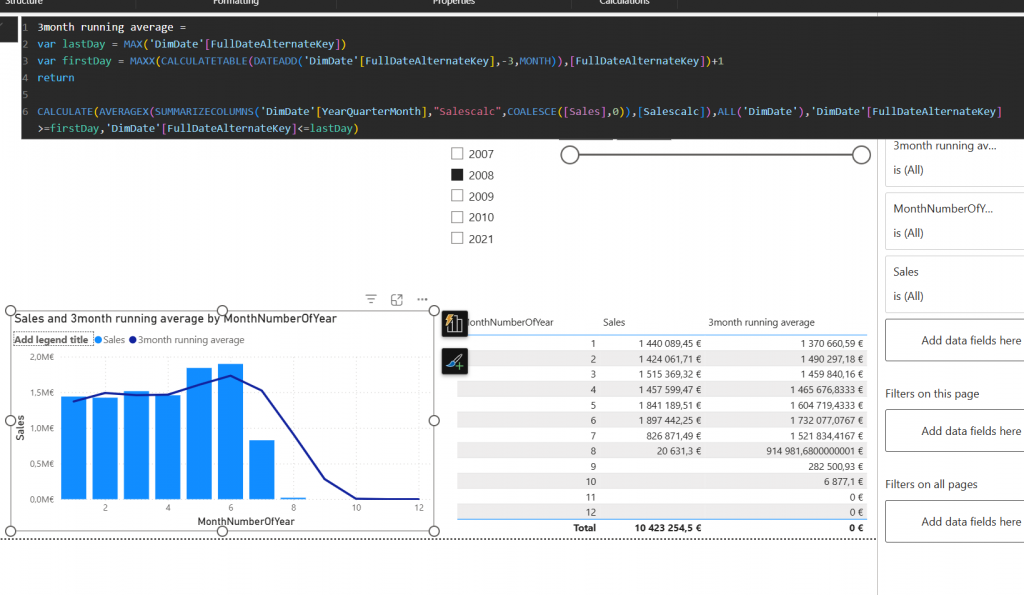
3month running average =
var lastDay = MAX(‘DimDate'[FullDateAlternateKey])
var firstDay = MAXX(CALCULATETABLE(DATEADD(‘DimDate'[FullDateAlternateKey],-3,MONTH)),[FullDateAlternateKey])+1
return
CALCULATE(AVERAGEX(SUMMARIZECOLUMNS(‘DimDate'[YearQuarterMonth],”Salescalc”,COALESCE([Sales],0)),[Salescalc]),ALL(‘DimDate’),’DimDate'[FullDateAlternateKey]>=firstDay,’DimDate'[FullDateAlternateKey]<=lastDay)
Idea is to find the last day selected and then calculate backwards 3 months and free the date dimension.
Day 18 – Dynamic moving
This day was about changing that fixed length 3 month moving average to dynamic. Purpose was to add parameter to report which would allow user to choose how many months the average would be calculated on.
Answer is 2 parts. First the measure:
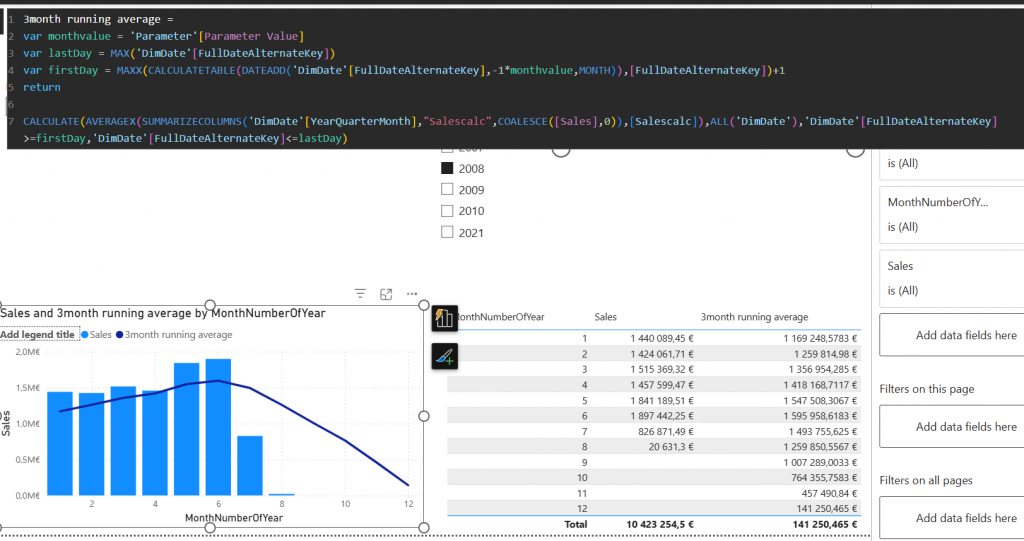
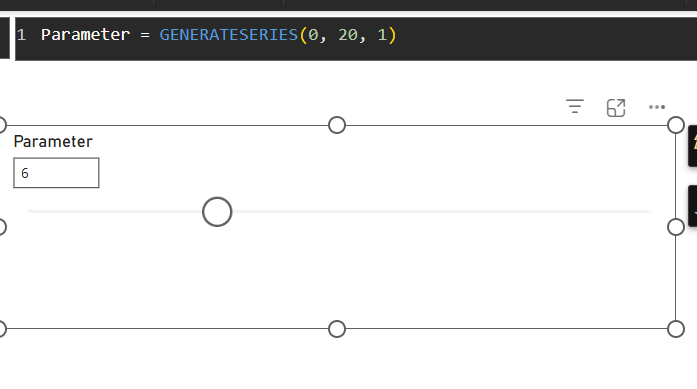
Another part of the solution is the parameter which end user is using to select the month count
Day 19 – weighted average
Weighted average is a bit harder problem. It requires the “weight”. In our puzzle weight was about sales order count. So let’s first calculate the weight:
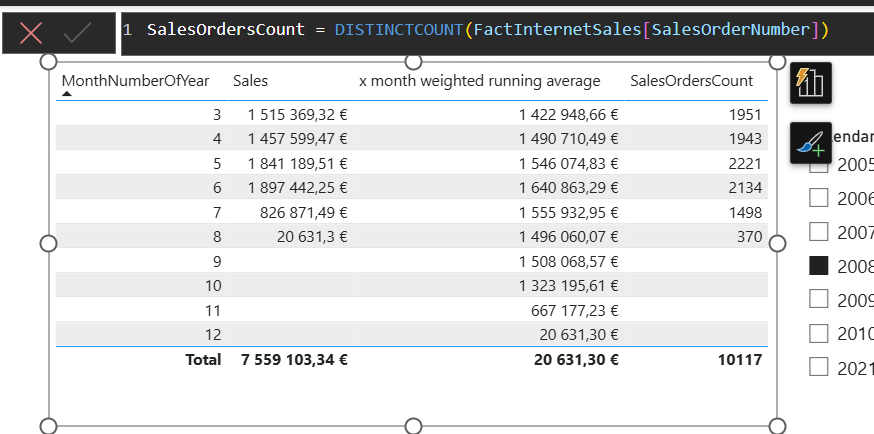
Then this weight is used in actual calculation by multiplying the sales per month with the weight in every month. This is done with sumx
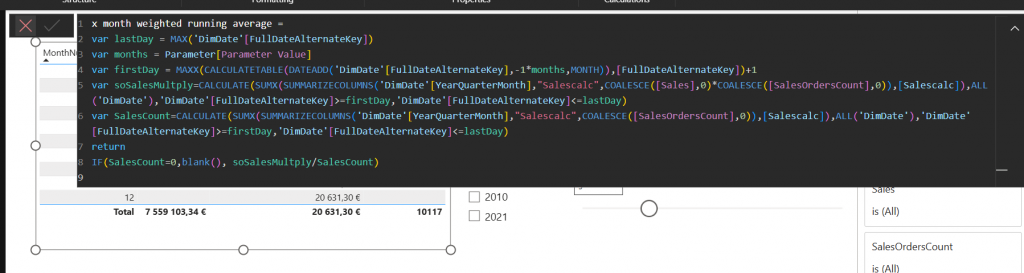
And then divided by the total sales orders count.
Day 20 – Moving average at visual level
Previous day was about Weighted average in DAX. What about visual calc?
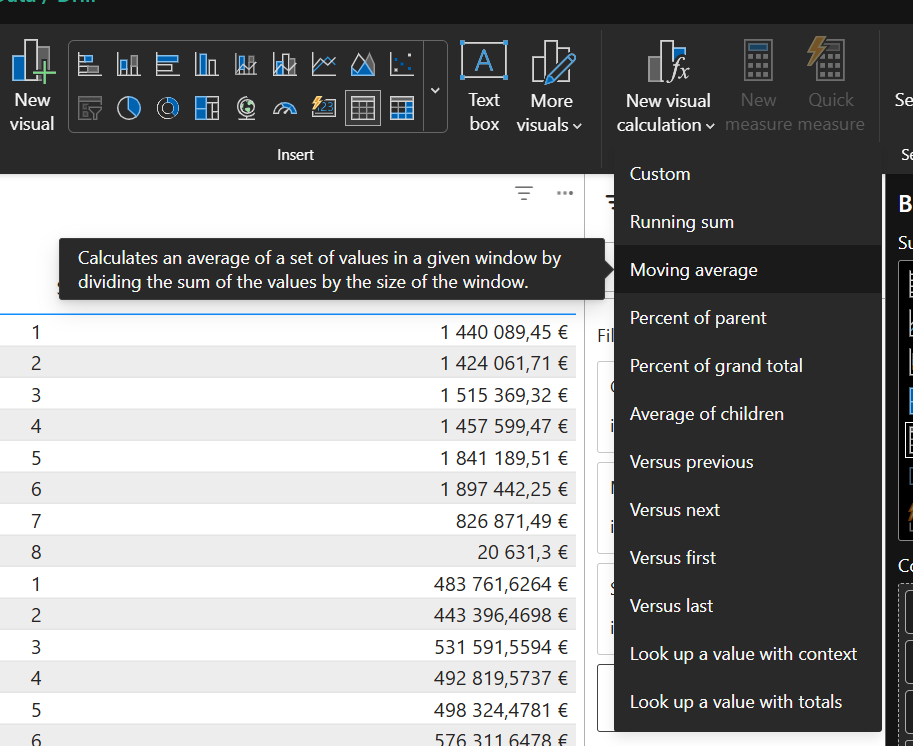
There is prebuilt option to moving average.
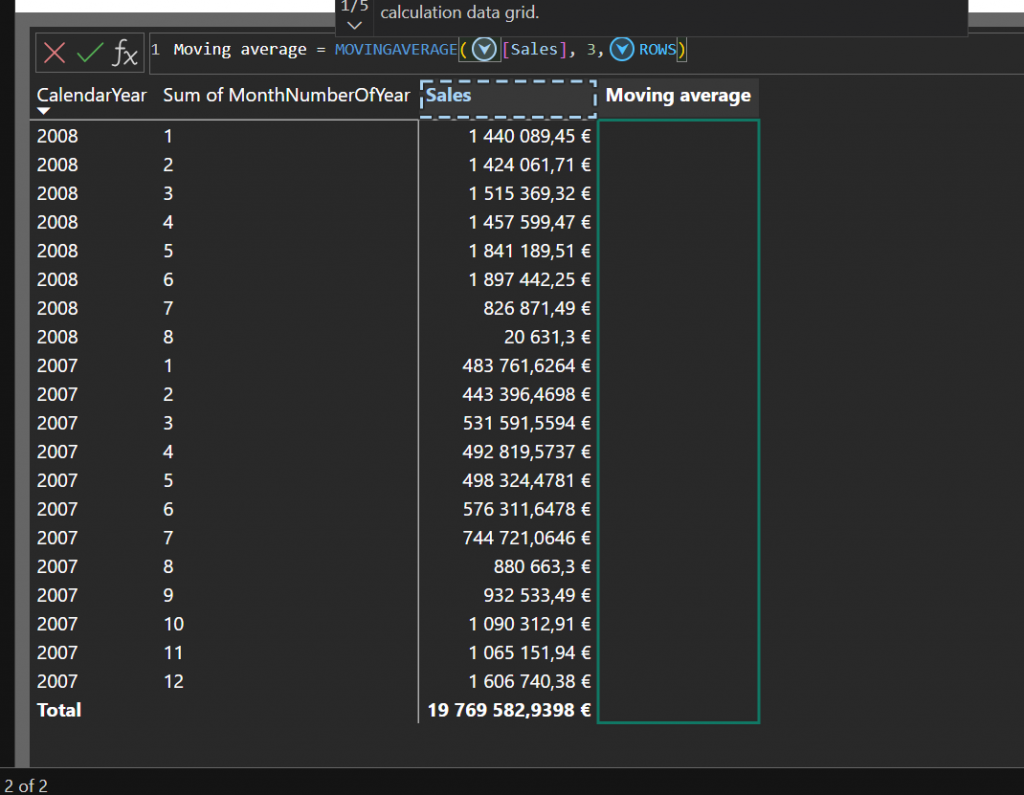
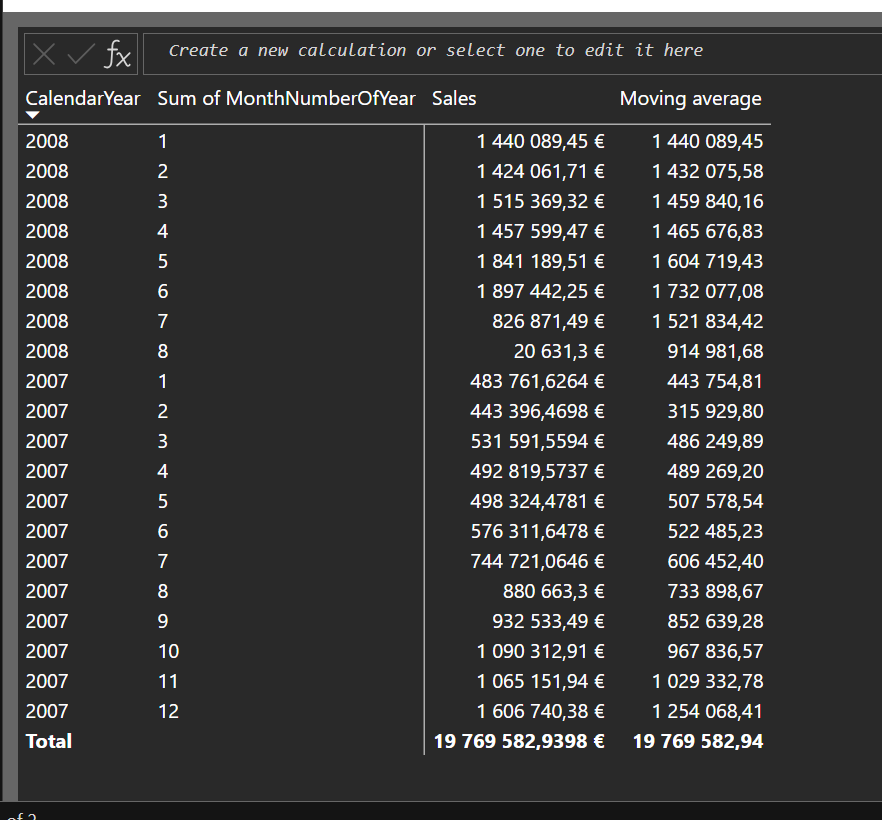
Day 21 – Organisational Hierarchy
Organizational hierarchy is something everyone needs to implement some day. Idea is to calculate column that have hierarchy calculated as path column.
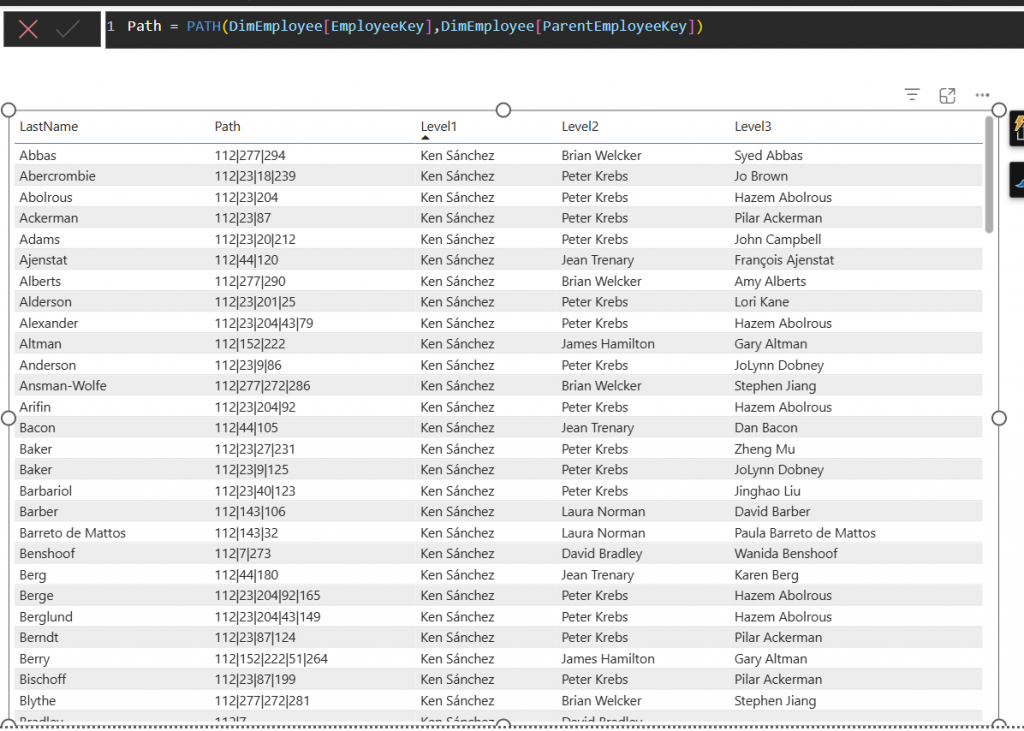
Each level is then showed as calculated columns
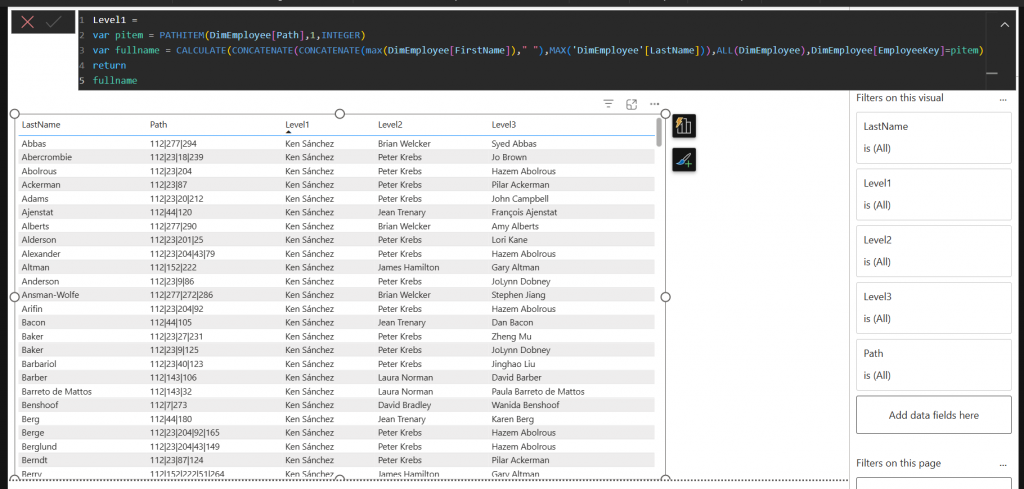
Day 22 – Organisational Hierarchy Reversed
From bottom-to-up hierarchy is pretty similar but using slightly different functions.
There is PATHITEMREVERSE function that we use here.
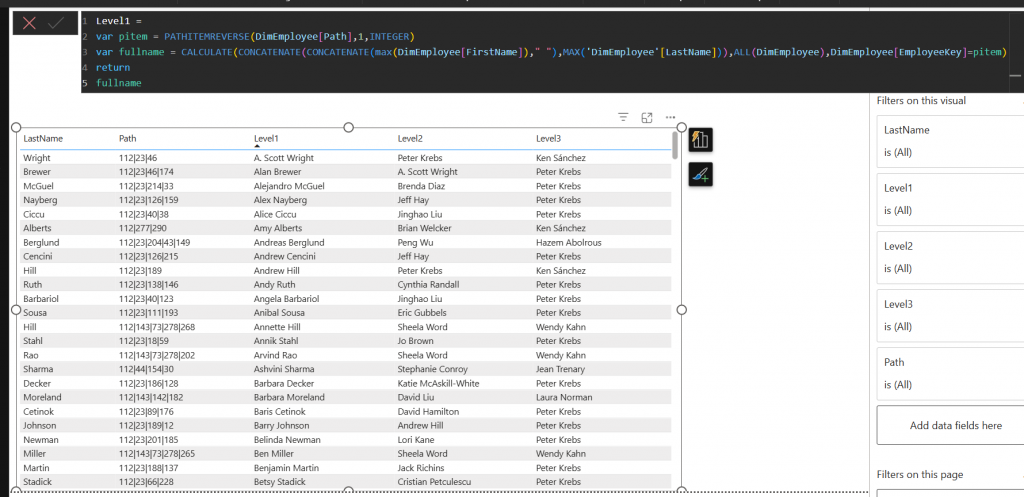
Day 23 – Statistics Centre Finland Statistics
This was more like follow the instructions. q4.fi is a tool to generate power queries and as there was no single answer this one was to let you familiarize with the tool.
Day 24 – What is the most useful Power BI Feature?
And this was a question to you! For this one I got 17 answers. Each answer was about different topic. People were saying something was good but there were also many complaints.
Good things were in more advanced editoring/coding experiences Power BI is getting. This included tmdl editor, dax query view and DAX enhancements.
Critics were against certain specific features like some visuals not working as intended. Some visuals that should be default visuals only available in market place and about general scalable reporting. Power BI is still heavily towards interactive reporting and not so much of fixed reporting (which Microsoft tries to cover with SSRS reports).
Also there was a critics about how my q4.fi works or atleast how you copy data from there… I need to look that as I was not aware of that bug.